Home Office Style Corner
Home Office Style Corner is a corner edit for readers weighing camera background, task lighting, cable control, and small desk comfort. The home detail note explains what to check before buying, who should skip it, and where the purchase can become more work than it first appears.
The home office corner often begins as a space of quiet intention and rapidly degrades into a holding area for the unresolved. Unopened mail, tangled charging cables, half-empty water glasses, and peripheral hardware accumulate until the actual working surface is reduced to a cramped perimeter around your keyboard. This physical compression creates a low-grade, persistent visual friction that drains focus before the workday even begins. Reclaiming this space is rarely about purchasing another set of acrylic sorting trays or a larger desk; it is about observing your own drop-zone behaviors and implementing a material-forward, structurally sound system that absorbs daily use without looking chaotic. A functional workspace requires distinct boundaries between active tools and stagnant archives, relying on materials that age gracefully under heavy friction and storage solutions that conceal the necessary ugliness of modern technology. Transforming a cluttered corner into a permanent, textured workspace demands a slower approach to buying, prioritizing heavy-gauge metals, solid woods, and deliberate cable routing over quick plastic fixes.
The Anatomy of a Clutter-Magnet and Spatial Boundaries
The fundamental flaw of most home office corners is the flat surface paradox: without strict, physical boundaries, any horizontal plane implicitly invites accumulation. When you finish a task, the easiest physical action is to simply put the object down. Without a designated, constrained landing zone, a stapler, a reference book, or a pair of headphones will drift across the desk over the course of a week. The first step in dismantling a clutter pile is not buying storage, but observing this exact drift. Track where items naturally land when you are fatigued. These organic drop zones dictate where your intentional storage needs to be anchored.
Establishing spatial boundaries requires creating micro-zones within the desk footprint. This is where a high-quality desk pad transitions from an aesthetic choice to a behavioral tool. By placing a specific material under your keyboard and mouse, you create a visual and tactile perimeter. Items that belong to active work live on the pad; items that do not are immediately conspicuous and must be moved. This subtle psychological barrier forces a daily reckoning with stray objects. However, this only works if the secondary storage-the place where the stray objects actually belong-is within an arm's reach and requires zero friction to access.
Visual noise is just as detrimental as physical obstruction. Mismatched materials, branded plastic accessories, and scattered sticky notes create a fragmented visual field that forces the eye to constantly refocus. Consolidating your desktop accessories into a single material language-such as raw brass, matte powder-coated steel, or carved wood-reduces this cognitive load. The goal is to limit the desktop real estate to items you touch every single day. Everything else must be raised, concealed, or discarded. If an object sits on your desk for three weeks without being utilized, it is no longer a tool; it is an obstacle.
Material Behavior Under Daily Friction
A desk surface endures localized, repetitive friction for eight to ten hours a day. The materials you choose for your workspace must be evaluated on how they respond to this specific type of wear. Solid hardwoods like oak or walnut offer longevity, but they require a maintenance routine. A hardwax oil finish will protect the wood from the heat of a laptop and the occasional coffee spill, but it demands re-application annually to prevent the grain from drying out and splintering. Conversely, wood veneers over MDF present a lower initial maintenance burden but carry a high risk of irreversible damage. If the edge banding catches on your watch clasp or belt buckle, the veneer will chip, exposing the composite core-a failure that cannot be sanded out or repaired.
The surface you interact with most directly is often the desk pad, and material selection here drastically alters the daily experience. Thick merino wool felt has become popular for its acoustic dampening and warm texture, but it behaves like a sponge for biscuit crumbs, dust, and dead skin cells. Maintaining a felt pad requires vigorous weekly passes with a lint roller and occasional spot-cleaning that can warp the fibers. Full-grain leather offers a superior tactile experience and develops a rich patina where your wrists rest, but it reacts poorly to condensation from cold glasses and can feel stiflingly hot under your forearms during summer months. Furniture-grade linoleum, often used in architectural settings, provides a matte, self-healing surface that resists glare from monitors, requires merely a damp cloth to clean, and remains temperature-neutral year-round.
When selecting desktop organizers, weight is a primary functional requirement. Lightweight acrylic or thin plastic trays slide backward every time you reach for a pen, requiring constant readjustment. They also scratch easily, turning cloudy and showing every fingerprint. Heavy-gauge powder-coated steel or solid cast metals stay exactly where you place them. The physical weight of a solid brass pen cup or a thick ceramic catch-all tray adds a sense of permanence to the desk. These materials do not degrade; brass will oxidize and darken, recording the oils from your hands, while powder-coated steel simply requires a quick dusting. Investing in heavy, singular pieces prevents the desk from feeling like a temporary, transient setup.
Routing Cables and Concealing the Tech Reality
The most significant contributor to workspace clutter is the unavoidable reality of power cables, display cords, and charging wires. Pretending they do not exist by simply pushing them behind the desk only results in a tangled, dust-collecting mass that makes cleaning impossible and swapping out hardware a frustrating ordeal. Effective cable management is not a quick fix; it is a structural project that requires dedicating an entire afternoon to routing, wrapping, and securing. The first rule is to eliminate floor-dwelling power strips. A power strip resting on the floor is a magnet for dust bunnies and accidental kicks. It must be mounted to the underside of the desk or hidden within a dedicated, breathable cable management box.
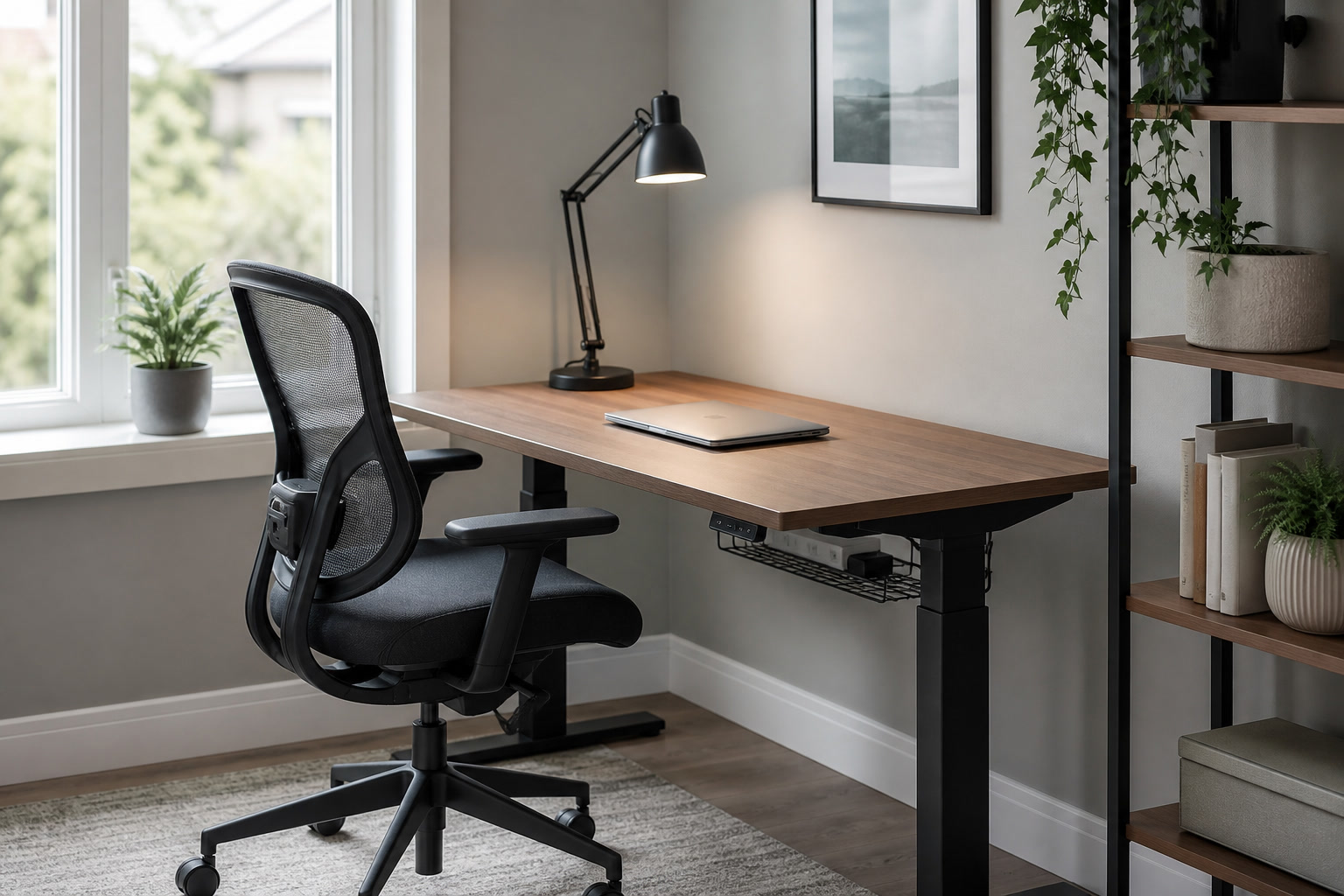
Under-desk cable trays are the most robust solution, but they introduce installation constraints. Trays that require drilling into the desk surface offer the highest weight capacity, easily holding heavy power bricks and thick monitor cables. However, if your desk is made of hollow-core composite, screws will simply tear out under the weight. In these cases, clamp-on trays are the alternative, but they carry a high returns risk if your desk has a beveled edge, a shallow rear lip, or a structural crossbar that interferes with the clamp mechanism. Before purchasing, you must physically measure the clearance and edge profile of your desk. Once a tray is installed, use reusable velcro ties-never plastic zip ties-to bundle cables. Zip ties require sharp tools to remove, risking damage to the cables themselves when you inevitably need to replace a peripheral.
For cables that must remain on the desktop, such as phone chargers or temporary laptop power cords, weighted cable catches are essential. These small, heavy metal or silicone blocks sit on the rear edge of the desk and prevent the cable from slipping off and falling to the floor when disconnected. Furthermore, the cables themselves should be evaluated. The stiff, memory-retaining PVC cables included with most electronics create rigid, unsightly loops. Swapping these for high-quality braided nylon or soft silicone cables allows the wires to drape heavily and cleanly, following the contours of the desk rather than fighting against them. While braided cables look superior, they do attract more dust than smooth PVC, requiring an occasional wipe-down with a microfiber cloth.
Vertical Storage and the Maintenance of Open Systems
When the horizontal plane is maximized, storage must move vertically. However, utilizing wall space introduces structural realities that cannot be ignored. Floating shelves offer a clean, minimalist aesthetic, but they are entirely reliant on the integrity of your wall anchors. Heavy reference books, stacks of printer paper, and hard drives exert significant downward leverage. Relying on standard drywall anchors for a heavily loaded floating shelf is a guarantee of eventual failure. For true utility, shelving must be mounted directly into wall studs using heavy-duty brackets. If you cannot locate studs in the desired area, you must pivot to floor-standing shelving or accept a strict weight limit on your wall-mounted storage, reserving it solely for lightweight decorative items and small tools.
The hidden burden of open shelving is the relentless accumulation of dust. A shelf full of loose papers, exposed office supplies, and intricate objects requires meticulous, item-by-item dusting every single week. If you are not prepared for this maintenance routine, open shelving will quickly look neglected. The strategy to mitigate this is intentional stacking and the use of closed archival boxes. Items accessed daily can remain loose, but anything accessed weekly or monthly should be housed in uniform, closed containers. Linen-wrapped or heavy kraft paper archival boxes conceal visual clutter and present a clean, unified front. However, be aware that linen boxes in highly humid, non-climate-controlled environments can absorb moisture and develop a musty odor over time; in such climates, powder-coated metal or high-density fiberboard boxes are a safer long-term choice.
Wall organizers, such as pegboards or metal grids, are excellent for keeping active tools visible but off the desk surface. To avoid the aesthetic of a college dorm room, skip the cheap plastic or thin MDF pegboards. Opt for thick, finished plywood systems with heavy wooden dowels, or architectural-grade powder-coated steel grids. These systems allow you to hang headphones, scissors, and wire baskets for incoming mail. The key to making these systems work is strict curation; the moment a wall grid becomes completely covered in overlapping papers and tools, it ceases to be an organizational system and simply becomes vertical clutter. Leave at least thirty percent of the grid empty to maintain a sense of visual breathing room.
Task Lighting and the End-of-Day Ritual
Overhead room lighting is rarely sufficient for focused work, often casting harsh shadows over your keyboard and straining the eyes during detailed tasks. A dedicated task light is a functional necessity, but it also serves as a critical architectural anchor for the desk. The physical construction of the lamp matters immensely. A heavy, cast-iron or solid brass base prevents the lamp from tipping when you adjust the arm. Pay close attention to the articulation joints. Cheap lamps use plastic friction joints that lose tension over time, resulting in a lamp head that slowly droops. Look for lamps with exposed steel springs or machined brass tension knobs that can be manually tightened as the lamp ages. The color temperature of the bulb should sit around 3000K to 3500K-warm enough to be inviting, but cool enough to maintain contrast for reading.
To reclaim the physical footprint beneath your monitor, consider replacing the factory stand with a desk-mounted monitor arm. Factory stands are often unnecessarily deep, consuming prime real estate directly in your line of sight. A heavy-duty gas-spring monitor arm allows the screen to float, freeing up the space beneath for your keyboard, a notebook, or your audio interface. However, monitor arms carry a significant returns risk if not properly vetted. You must verify the VESA mount compatibility of your specific monitor, ensure the arm is rated for the weight of your screen, and confirm that your desk is thick enough to support the clamp without bowing. If you have a hollow-core desk, mounting a monitor arm will crush the internal honeycomb structure unless you distribute the pressure using solid steel reinforcement plates above and below the desk surface.
Beyond illumination and ergonomics, lighting and storage facilitate the crucial psychological transition between work and home, particularly when your office corner is located within a bedroom or living room. A functional workspace must have a closing ritual. When the workday ends, the physical space should transform. This means having a designated drawer or a specific box where the laptop and active notebooks are stowed out of sight. Pushing the keyboard beneath the floating monitor, turning off the bright task light, and switching on a low-wattage, warm ambient lamp fundamentally alters the mood of the corner. This routine signals to your brain that work has concluded. If your desk remains a chaotic pile of active projects, that visual reminder will bleed into your evening, entirely defeating the purpose of a home.
Pre-purchase checklist
- Measure the exact thickness and edge profile of your desk to ensure compatibility with clamp-on monitor arms and cable trays.
- Locate wall studs using a magnetic finder before purchasing heavy floating shelves or wall-mounted storage systems.
- Assess the daily sunlight exposure on your desk surface to determine if wood finishes or leather pads will require UV protection or frequent conditioning.
- Calculate the total weight of your monitor and peripherals to ensure you do not exceed the load capacity of gas-spring arms or hollow-core desks.
- Evaluate your personal tolerance for weekly dusting; if low, strictly limit open shelving and prioritize closed archival boxes.
Who should skip this
This slow, material-focused approach to workspace organization is fundamentally incompatible with highly transient living situations. If you anticipate moving apartments every twelve months, investing in heavy, solid wood furniture, drilling structural cable management trays, and mounting stud-dependent shelving will become a massive logistical burden. Heavy-gauge steel organizers and cast-iron lamp bases add significant weight to moving boxes, and custom-routed cable setups must be entirely dismantled and rebuilt with each relocation. Furthermore, if your work requires a highly mobile setup-where you frequently shift from the desk to the sofa to a coffee shop-anchoring your tools into a permanent, heavy desktop system will feel restrictive. For those in temporary or highly fluid scenarios, lightweight, modular, and easily packable systems are a much more practical, albeit less permanent, solution.
Affiliate transparency
FikaLooks operates on an independent editorial model. When you purchase through links in our articles, we may earn a commission. We do not accept payment for placement, and our material assessments are based on long-term behavioral observation and structural analysis, not press releases.
FAQ
How can I handle active paper clutter without resorting to an ugly metal filing cabinet?
Active paper clutter-mail, bills, current project notes-should be kept in a shallow, designated desktop tray made of a heavy material like powder-coated steel. Once a project is finished, the paper must be moved off the desk. For long-term storage without a filing cabinet, use uniform, linen-wrapped archival boxes stored on a lower shelf. Label the spines subtly. This keeps the papers accessible but visually silent.
Is a felt desk pad or a leather desk pad better for a heavy-use setup?
It depends entirely on your maintenance tolerance and environment. Felt provides excellent acoustic dampening and a soft resting surface, but it traps dust, crumbs, and hair, requiring frequent use of a lint roller. Leather offers a premium, smooth surface that develops a beautiful patina, but it requires semi-annual conditioning with leather balm and can feel sticky under your forearms during hot, humid weather.
Will installing a clamp-on monitor arm damage my desk surface?
If your desk is made of solid hardwood or high-density plywood, a clamp-on arm will not cause structural damage, though it may leave a slight indentation in the finish over time (using a thin rubber pad prevents this). However, if your desk is made of hollow-core composite (like many inexpensive flat-pack desks), the concentrated pressure of the clamp will crush the internal structure. You must use steel reinforcement plates to distribute the load.
How do I hide a bulky laptop docking station and its massive power brick?
Do not leave docking stations on the desktop unless you frequently need to access their ports. The most effective method is to mount the dock to the underside of the desk using heavy-duty double-sided mounting tape or custom brackets. The power brick should be housed in an under-desk wire management tray. Ensure the tray is open-wire or highly ventilated, as docking station power bricks generate significant heat and can become a fire hazard if enclosed in a tight plastic box.